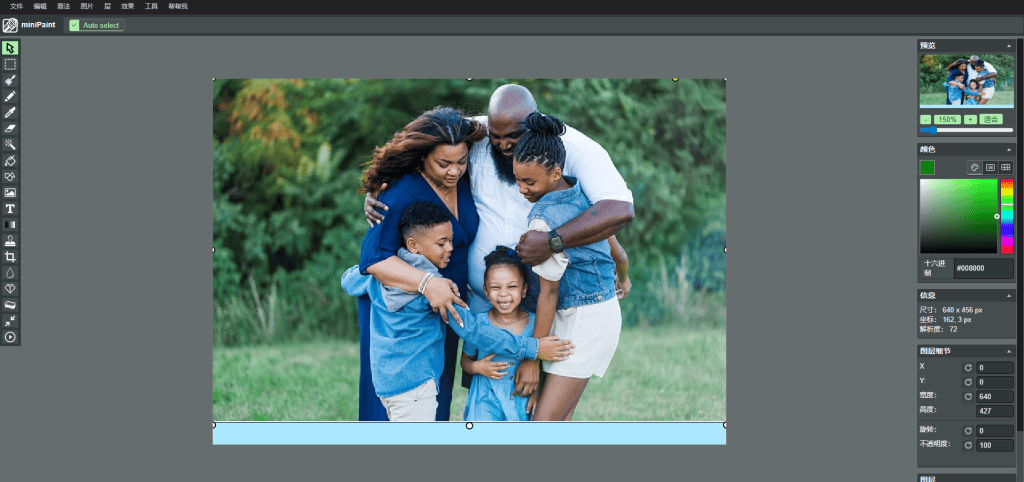
H1
Best Free Online Image Editor (No Download Required)
Introduction
Editing images is an essential task for bloggers, designers, marketers, and everyday users. However, installing heavy desktop software is not always convenient, especially when you only need to make quick edits.
Fortunately, a free online image editor allows you to edit images directly in your browser without downloading or installing any software. In this guide, we will explain what makes a great online image editor and show you an easy-to-use tool that works instantly.
H2: What Is an Online Image Editor?
An online image editor is a web-based tool that lets you edit images using your browser. Unlike traditional desktop programs, online editors do not require installation and work on any operating system, including Windows, macOS, and Linux.
Most modern online image editors support essential features such as cropping, resizing, adding text, and working with layers.
H2: Why Use a Free Online Image Editor?
There are several advantages to using a free online image editor instead of desktop software:
- No download required – Save time and storage space
- Works on any device – Use it on laptops, tablets, or even Chromebooks
- Beginner-friendly – Simple interface with essential tools
- Instant access – Start editing immediately in your browser
For users who need fast and simple image editing, online tools are often the best choice.
H2: Best Free Online Image Editor You Can Use Today
If you are looking for a reliable and easy-to-use tool, Toolspires Image Editor is a great option.
👉 Try it here:
https://editor.toolspires.com
Toolspires Image Editor runs entirely in your browser and offers powerful features without registration or installation.
H2: Key Features of Toolspires Image Editor
Toolspires Image Editor provides essential image editing features suitable for both beginners and advanced users:
- Crop, resize, and rotate images
- Add text, shapes, and icons
- Work with multiple layers
- Support for JPG, PNG, and other common formats
- Fast performance with no software installation
Because it works online, you can edit images anytime and anywhere.
H2: How to Edit Images Online (Step-by-Step)
Step 1: Open the Image Editor
Go to https://editor.toolspires.com in your browser.
Step 2: Upload Your Image
Upload an image from your computer to start editing.
Step 3: Edit the Image
Use tools such as crop, resize, text, or layers to customize your image.
Step 4: Download the Result
Export your edited image in the desired format and resolution.
H2: Online Image Editor vs Desktop Software
Desktop image editing software can be powerful, but it often comes with a steep learning curve and high system requirements. Online image editors offer a lightweight alternative for common editing tasks.
For quick edits, simple designs, and everyday image processing, an online image editor is usually faster and more convenient.
H2: Who Should Use an Online Image Editor?
Online image editors are perfect for:
- Bloggers and content creators
- Small business owners
- Social media managers
- Students and beginners
- Anyone who needs fast image edits
You do not need professional design skills to get great results.
Conclusion
Choosing the best free online image editor can save you time and effort while delivering excellent results. With no downloads required, online tools provide instant access and essential features for everyday image editing.
If you want a simple, fast, and free solution, try Toolspires Image Editor today and start editing images online in seconds.
👉 https://editor.toolspires.com