Meta Description(Rank Math)
Learn how to edit images online for free using a simple browser-based image editor. No download, no registration required.
URL Slug
H1
How to Edit Images Online for Free – Step by Step Guide
Introduction
Image editing is no longer limited to professional designers or expensive software. Today, anyone can edit images online for free using a modern web browser. Whether you want to crop a photo, resize an image, or add text, online image editors make the process simple and fast.
In this step-by-step guide, you will learn how to edit images online without downloading any software. We will walk you through the entire process using a free online image editor that works instantly.
H2: Why Edit Images Online?
Editing images online offers several advantages over traditional desktop software:
- No installation or setup required
- Works on any operating system
- Faster for quick edits
- Ideal for beginners and non-designers
If you only need basic to intermediate image editing, online tools are often the best solution.
H2: What You Need to Edit Images Online
To get started, you only need:
- A modern web browser (Chrome, Edge, Firefox, or Safari)
- An internet connection
- A free online image editor
👉 You can use Toolspires Image Editor here:
https://editor.toolspires.com
H2: How to Edit Images Online (Step-by-Step)
Step 1: Open the Online Image Editor
Go to https://editor.toolspires.com in your browser.
The editor loads instantly and does not require registration.
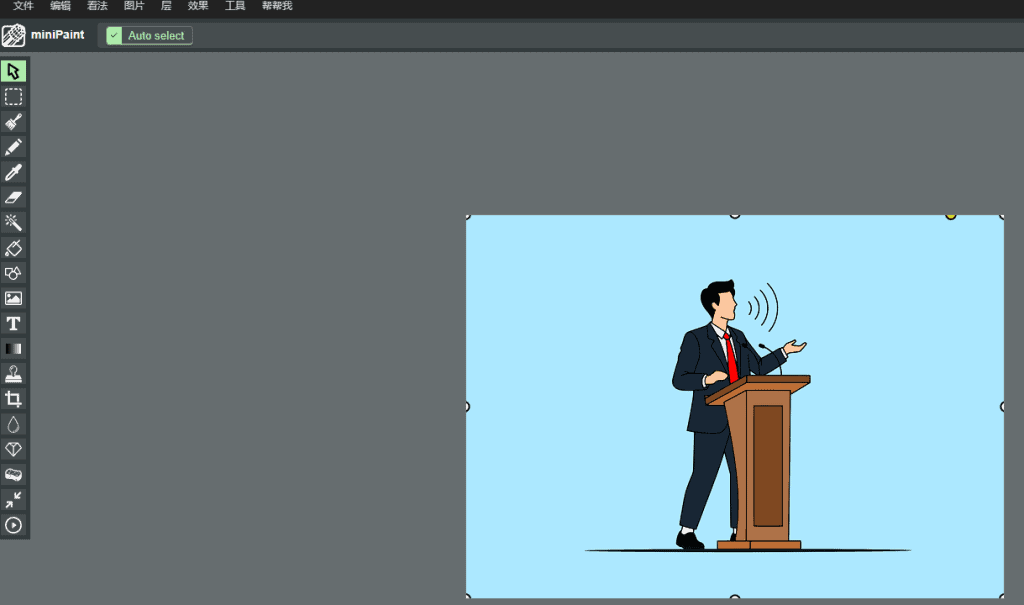
Step 2: Upload Your Image
Upload the image you want to edit from your computer.
Most common formats such as JPG and PNG are supported.
Step 3: Edit the Image
Use the available tools to customize your image:
- Crop or resize the image
- Add text or shapes
- Adjust layers and positioning
- Rotate or transform elements
The interface is beginner-friendly, so you can see changes in real time.
Step 4: Export and Download
Once you are satisfied with your edits, export the image and download it to your device.
Choose the appropriate format based on your needs.
H2: Tips for Better Online Image Editing
To get the best results when editing images online, keep these tips in mind:
- Maintain aspect ratio when resizing
- Avoid excessive compression
- Use high-resolution source images
- Save different versions if needed
These simple practices help preserve image quality.
H2: Why Use Toolspires Image Editor?
Toolspires Image Editor is designed for users who want fast and easy image editing without complicated software. It works directly in your browser and offers essential features for everyday tasks.
Key benefits include:
- Free to use
- No download required
- Supports layers and common formats
- Suitable for beginners and professionals
👉 Start editing now:
https://editor.toolspires.com
Conclusion
Editing images online for free has never been easier. With the right online image editor, you can complete common image editing tasks in minutes without installing any software.
If you are looking for a simple and reliable solution, try Toolspires Image Editor and start editing images online today.